From zero to full cyber risk visibility in 5 days
Here's what your first week with Anzen looks like. By Friday, you'll have a complete picture of your organisation's IT landscape, business impact, and risk posture.
Day 1 · Morning
Map your organisation
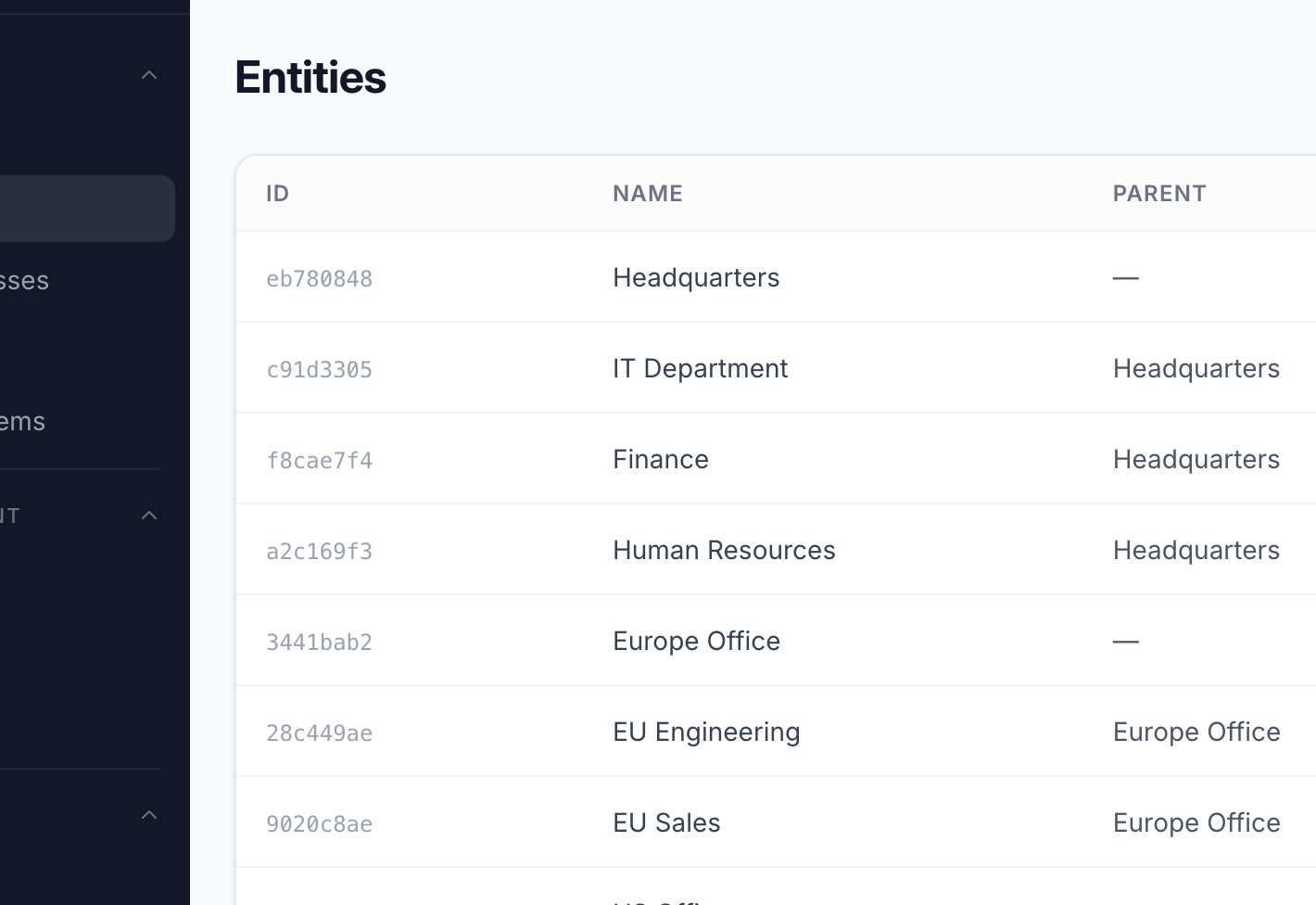
Import your org chart as entities - departments, business units, locations, teams. This hierarchy becomes the backbone of permissions, ownership, and reporting in Anzen. Most organisations are set up in under 30 minutes.
- Create a tree of departments, teams, and locations
- Assign ownership and responsibility per entity
- Permissions cascade down the hierarchy automatically
- Mirrors your existing org chart - no re-invention needed
Day 1 · Afternoon
Define what matters to your business
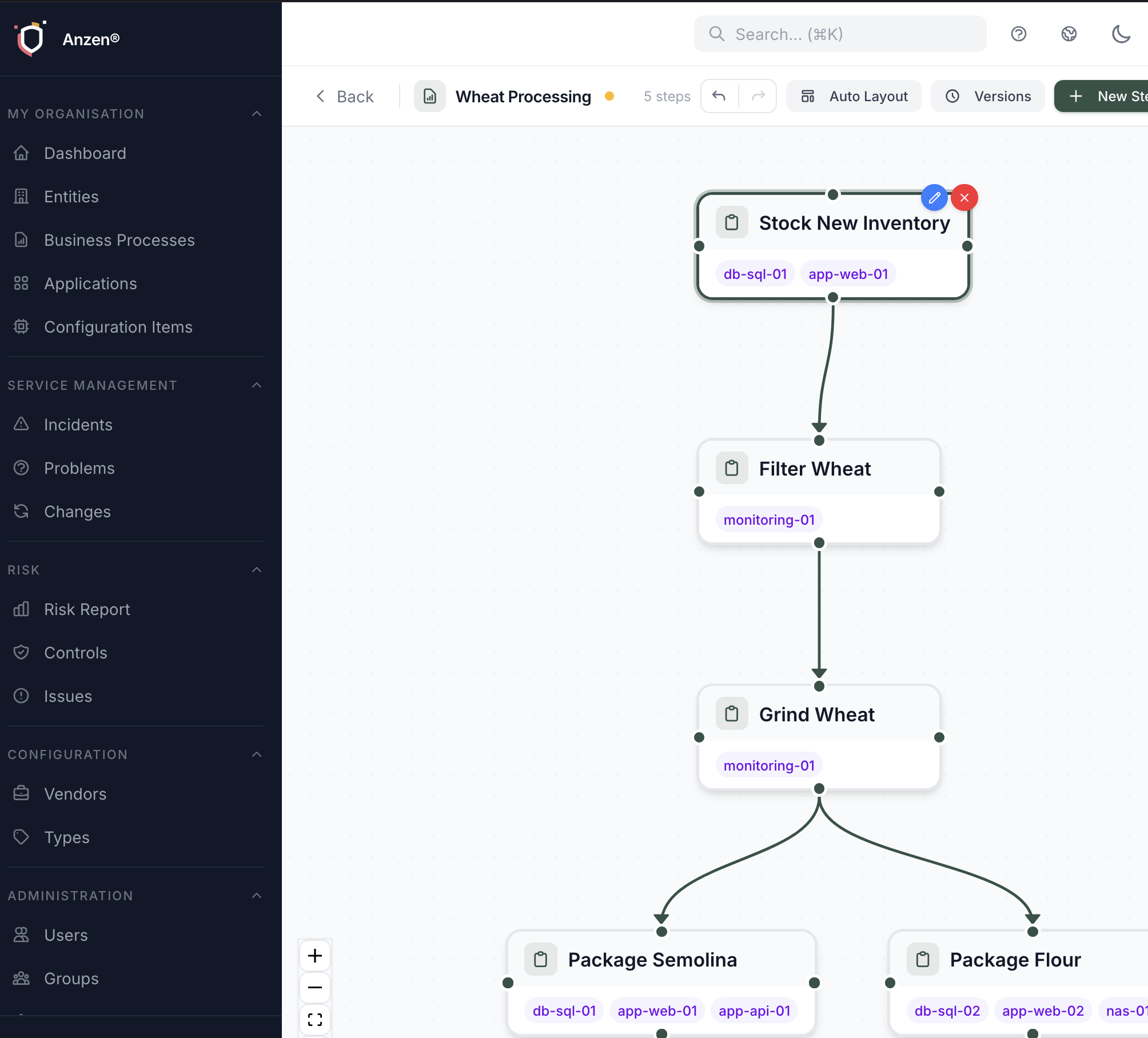
Create business processes and rate them on Confidentiality, Integrity, and Availability (CIA). This tells Anzen which workflows matter most - so when something goes wrong, you instantly know the business impact.
- Visual process modeller with drag-and-drop workflow steps
- Rate each process on a 1–5 CIA scale
- Set financial values for risk quantification
- Link processes to the entities that own them
Day 2
Connect your IT landscape
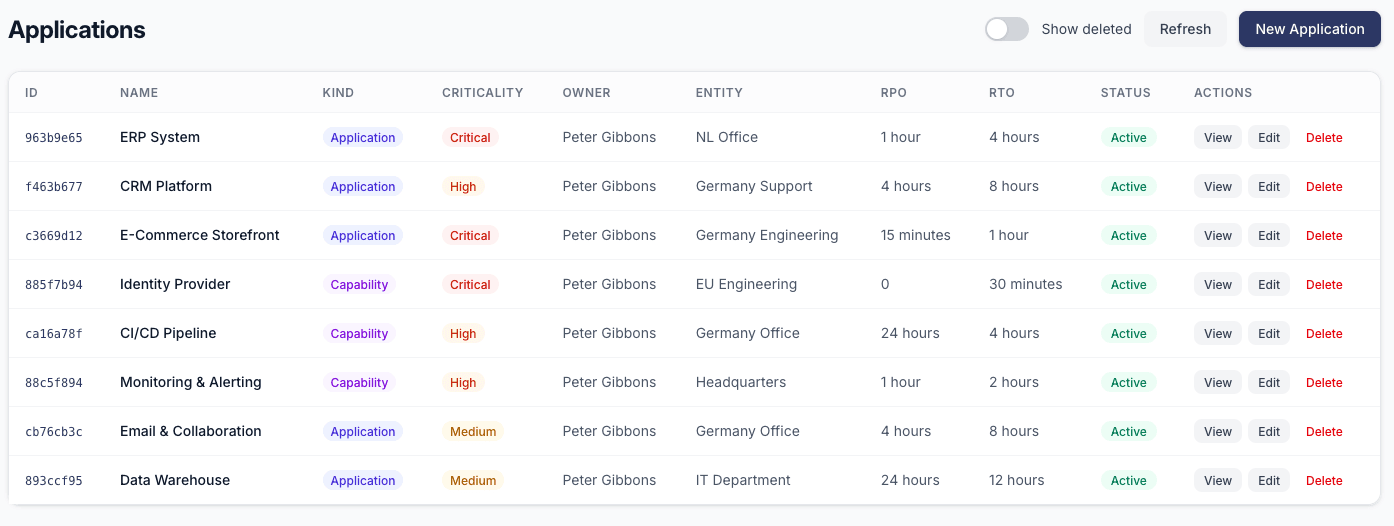
Register the servers, applications, databases, and network devices that your business depends on. Link them to applications, then to business processes - building the dependency chain that powers impact analysis.
- Add configuration items with hostname, IP, OS, and vendor info
- Create applications and link them to the CIs they run on
- Connect applications to the business processes they enable
- Track vendors, versions, and lifecycle status
Day 3
See your risk posture light up
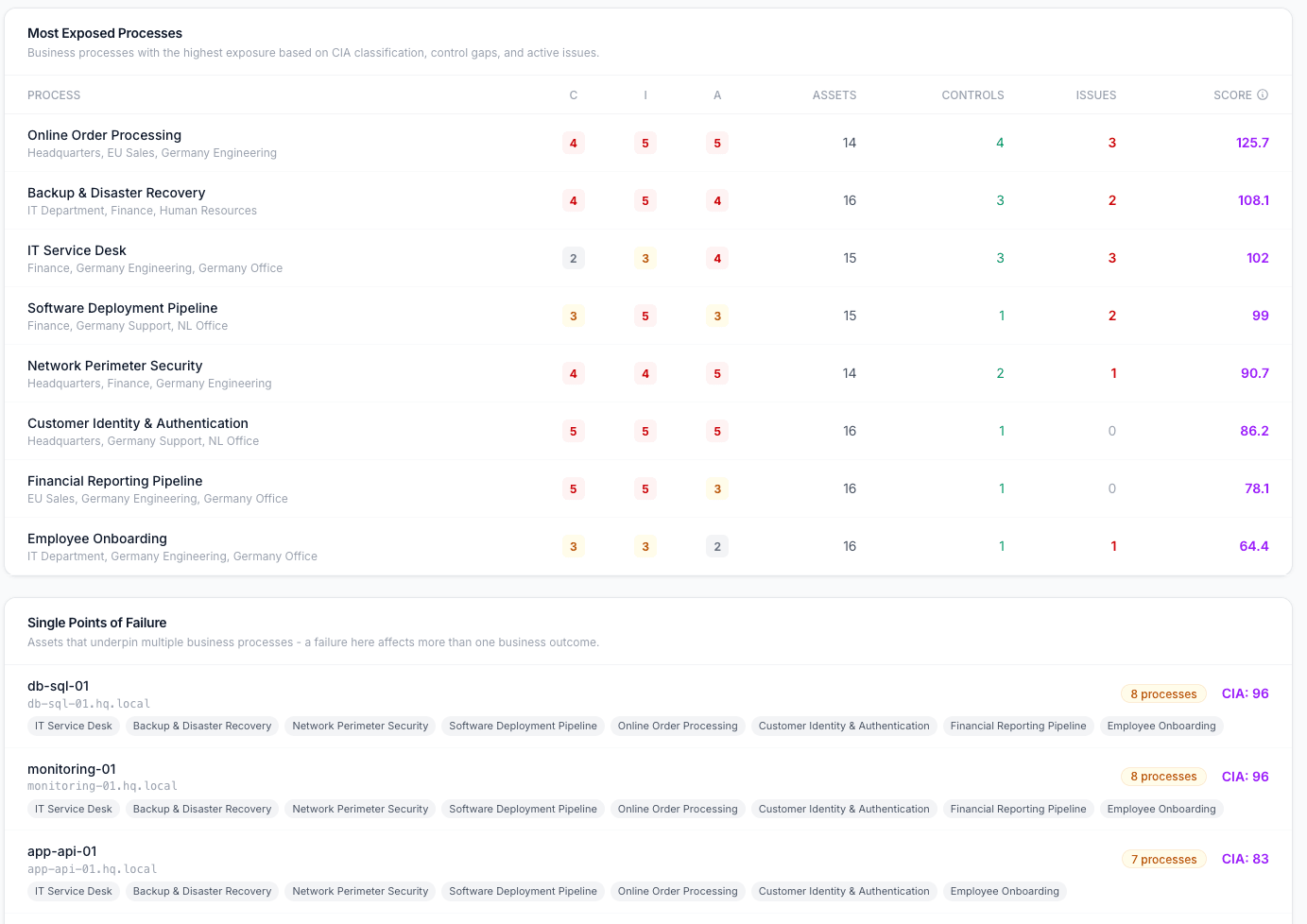
With your org structure, processes, and assets connected, the Risk Report comes alive. The Business Impact dashboard shows you exactly where you're exposed - which departments carry the most risk, which processes are unprotected, and where single points of failure lurk.
- Risk by Department heatmap - ranked by composite score
- Most Exposed Processes - high CIA + low coverage = high risk
- Single Points of Failure - assets serving multiple critical processes
- Control coverage gaps highlighted automatically
Day 4
Add governance and controls
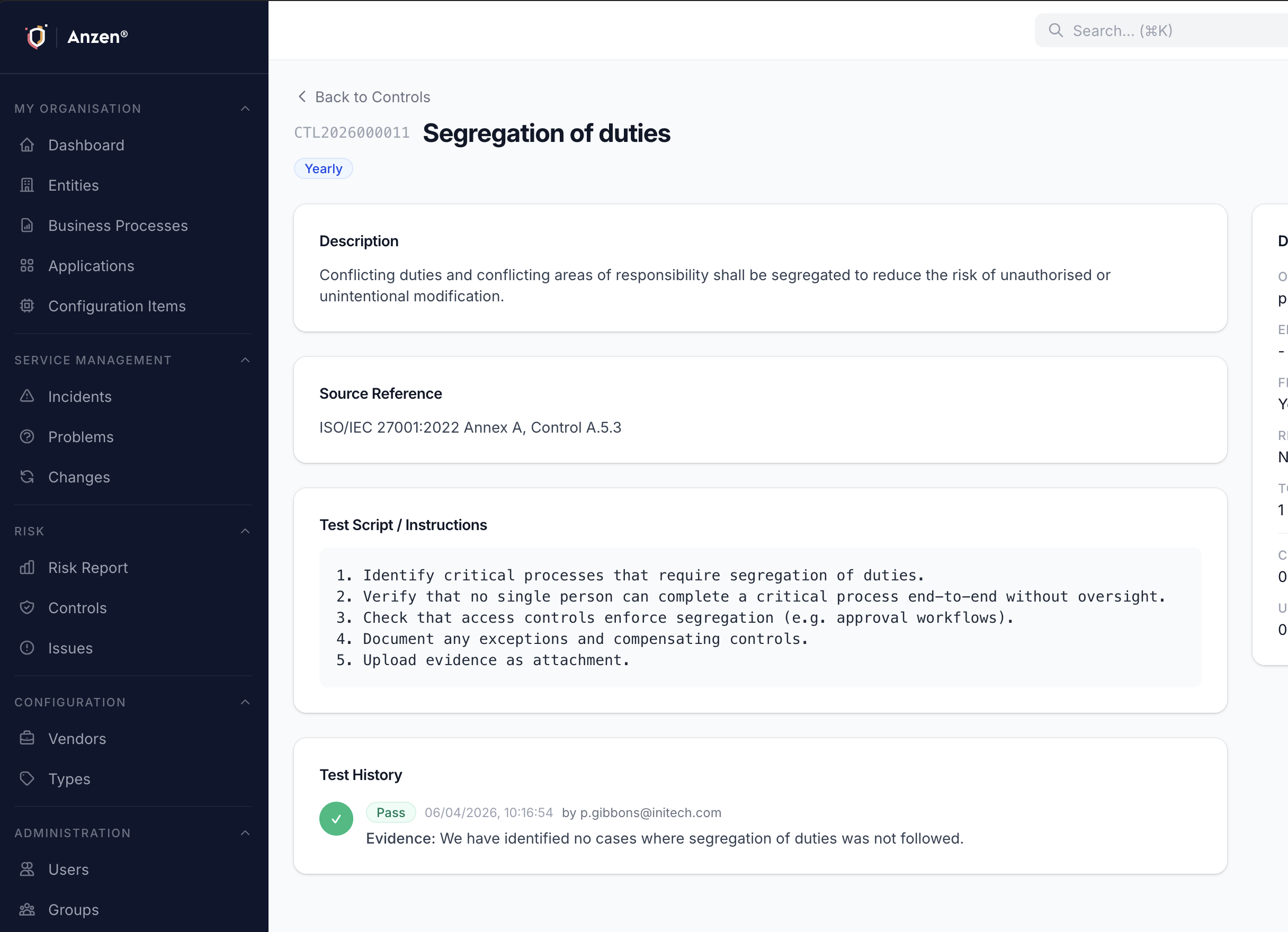
Create controls with test scripts and schedules. Import from ISO 27001 or NIS2 template packs to get started fast. Assign testers, set frequencies, and let Anzen automatically schedule control tests and track evidence.
- Import pre-built control sets (ISO 27001, NIS2)
- Define test scripts with step-by-step instructions
- Automatic scheduling - monthly, quarterly, or yearly
- Four-eyes review principle for critical controls
Day 5
Go live with your team
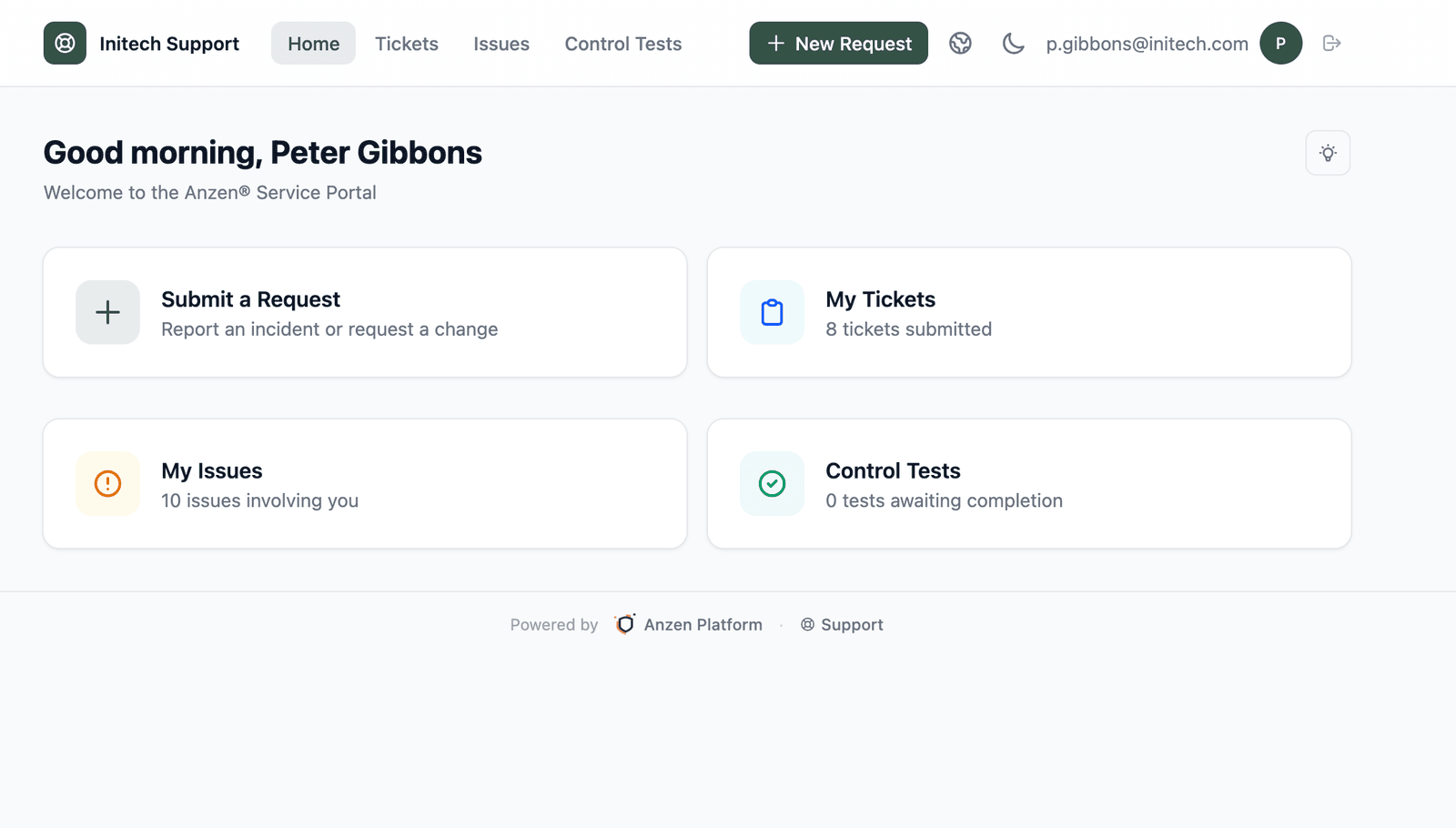
Invite your colleagues, configure the Service Portal for end users, and optionally set up SSO via your identity provider. By the end of the week, your entire team is onboarded and your organisation has a living, connected view of its IT risk.
- Invite users and assign them to groups with RBAC permissions
- Enable the Service Portal for ticket submission and control testing
- Set up SSO/OIDC for seamless authentication
- Self-registration for portal users (optional, admin-controlled)
Anzen Discovery
Stop manually tracking your IT assets. The Anzen Discovery Tool scans your network and automatically populates your CMDB - finding servers, workstations, and network devices you didn't even know existed.
- Agentless network scanning - discovers devices across your subnets
- Automatic CMDB population with hostnames, IPs, OS, and open ports
- Continuous monitoring detects new and changed assets
- Links discovered assets to existing business processes
- Shadow IT detection - find unmanaged devices on your network
Available for macOS (Apple Silicon) and Windows (x64).
Ready to get started?
Create a free workspace and have your first entities, processes, and risk insights set up before lunch. No credit card required.